


Want to experience it in action? You can go to our physical dealer store
Savage Raven 霧鴉(Skull & Co.)
Multifunctional expansion portable Dock for Steam Deck/OLED/ROG Ally/Ally X
Multifunctional expansion portable Dock for Steam Deck/OLED/ROG Ally/Ally X
Couldn't load pickup availability


All products pass the EU RoHS non-toxic environmental standards


product description
Key Features
High-Resolution Output — Supports up to 8K@30Hz, 4K@144Hz.
Modular Design — Cables, bottom cover, and Core Drive are all detachable.
Broad Compatibility — Supports mainstream gaming handhelds such as Steam Deck, ROG Ally, Xbox Ally, MSI Claw, etc.
Supports 30W Mode — Enables 30W enhanced mode for ROG Ally / Xbox Ally / Ally X.
Unparalleled Portability — The Core Drive can be carried separately and used as a USB HUB.
Protective Case Compatibility — No need to remove the protective case when connecting to the dock (applies to cases with thickness <2.5mm and no physical stand).
Vented Backplate — Does not obstruct airflow and prevents overheating.

Version Comparison
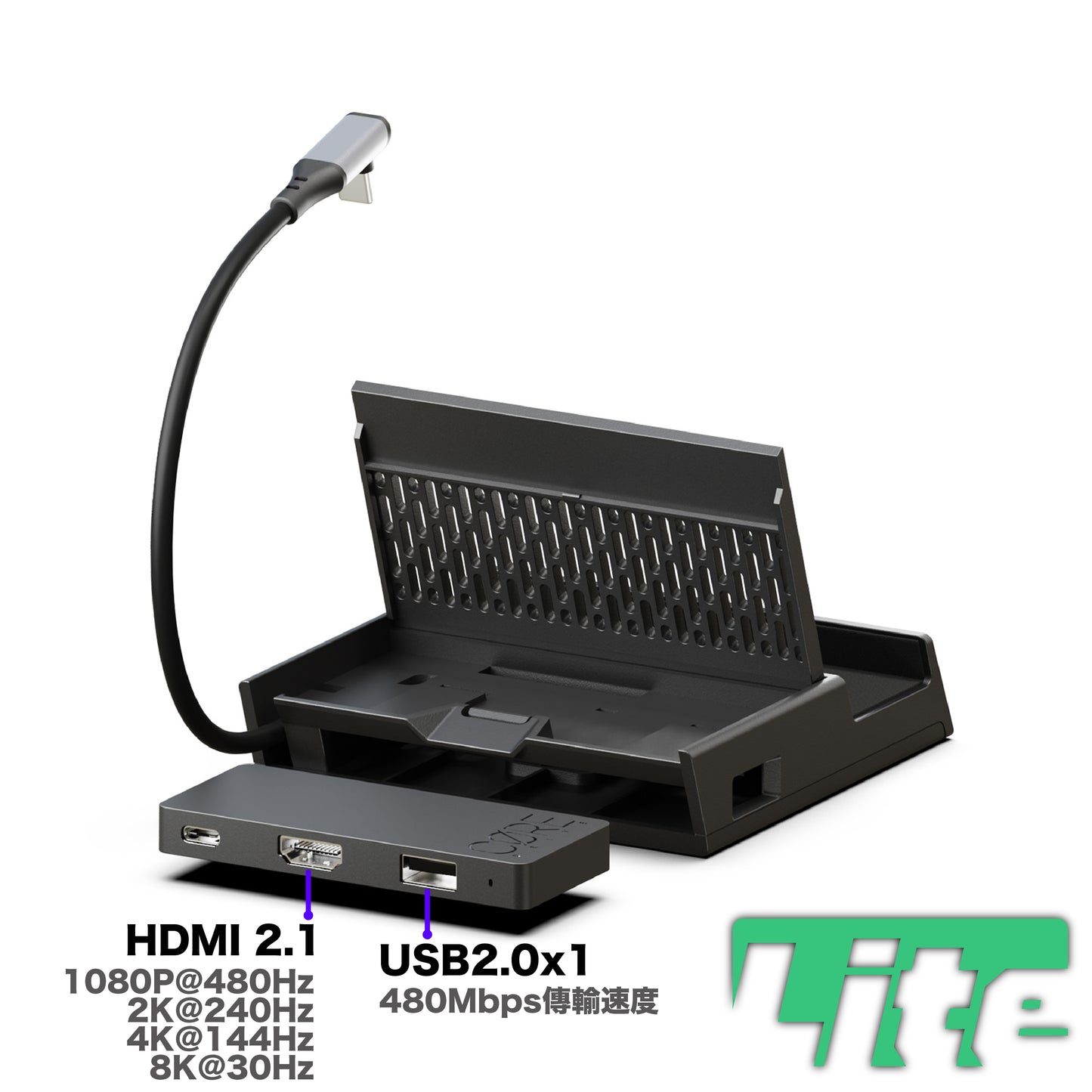
Suitable for simple video output to a TV, lightweight and portable, 1 x USB 2.0 slot for external accessories, light usage.
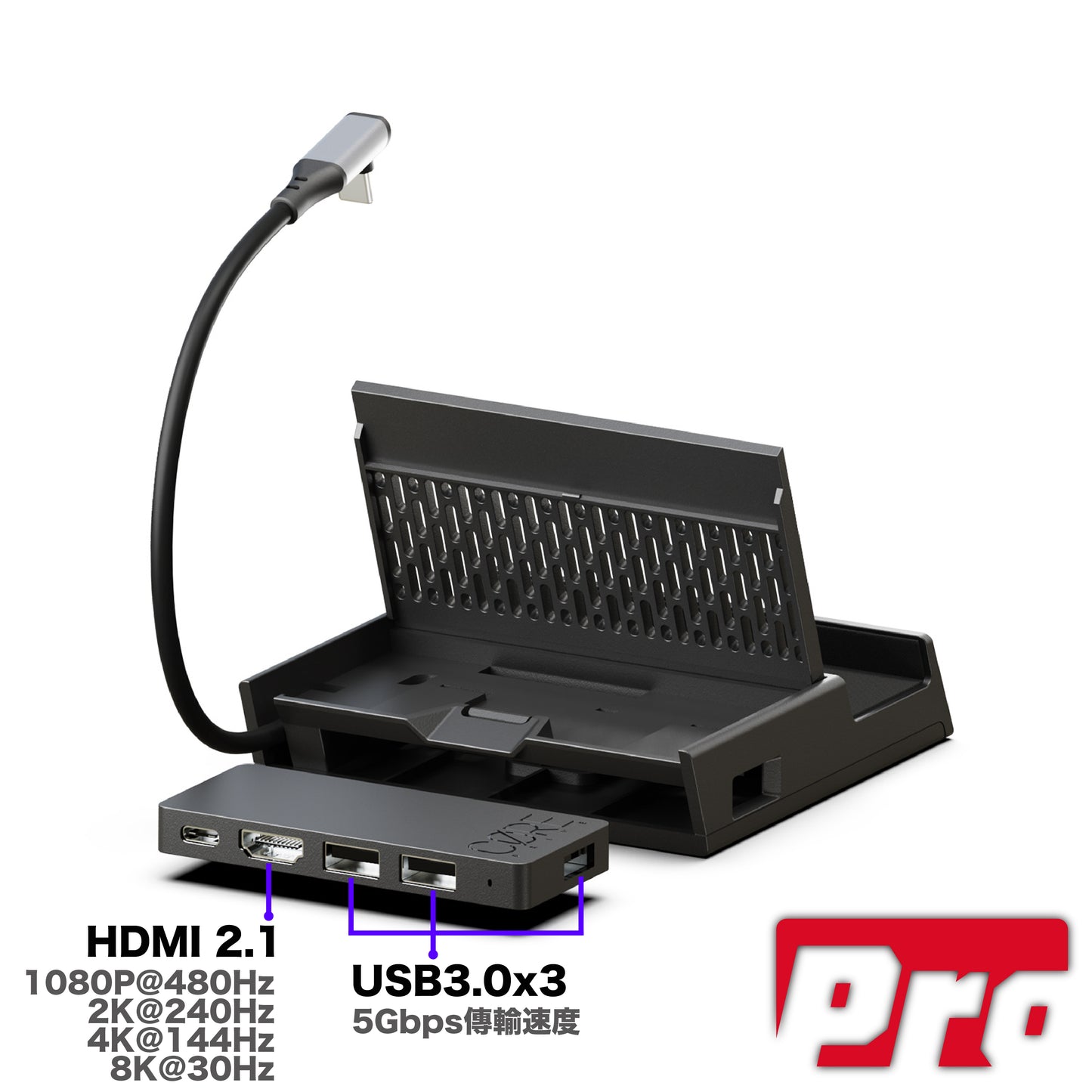
Suitable for hardcore gamers, 3 x USB 3.0 slots, faster transfer speed, supports connecting more accessories or expanding laptop use.
Technical Specifications
Core Drive
- 1x HDMI 2.1
- 3x USB 3.0 (Pro version) or 1x USB 2.0 (Lite version)
- 1x Type-C 3.1 (up to 100W full power delivery)
- Dimensions: 88 x 41 x 10mm
Portable Dock ONE Dock
- Output: 1x Type-C 3.1 (up to 100W)
- Input: 1x Type-C 3.1 (up to 100W)
Package Contents
- 1x Portable Dock Shell ONE Dock
- 1x Core Drive (installed inside the dock)
- 1x Type-C (male) to C (male) full-featured extension cable (both versions)
📌 FAQ
Q Can the Core Drive be used with Switch NS2/NS1?
A Yes, simply remove the Core Drive and connect it to the Switch for use.
Q Is it compatible with ROG Ally X / Xbox Ally?
A Yes, it supports 30W mode and has an extended cable designed for perfect compatibility with ROG Ally / Xbox Ally / Ally X handhelds.
Q Is it compatible with MSI Claw?
A Yes, both versions have extended cables designed to support the MSI Claw handheld.
Q I am using a non-4K monitor, why does it show 4K resolution after connecting?
A Please go to "System → Display → Scale and layout → Scale" and change it to the default 100%.
Q The screen frequently flashes black during use?
A This may be due to a cable or core issue, please contact us for assistance.
THIS PRODUCT DOES NOT SUPPORT HDMI-CEC FUNCTIONALITY.
Compatible Products
Compatible with the following products
-
■Universal Storage BagCan be placed directly into the lower compartment.
-
■STEAM DECK STANDGRIPCan be connected for output without removing the case.
-
■ROG ALLY STANDGRIPCan be connected for output without removing the case.
-
■ROG ALLY X STANDGRIPCan be connected for output without removing the case.
-
■USB Wired Network Mini AdapterCan be used with USB expansion.
-
■AUDIODRIVE Bluetooth TransmitterCan be used with USB expansion.
-
■XBOX ALLY / ALLY X Handheld ConsoleSupports connection for output.
-
■ROG ALLY / ALLY X Handheld ConsoleSupports connection for output.
-
■STEAM DECK Handheld ConsoleSupports connection for output.
-
■MSI CLAW Series Handheld ConsoleSupports connection for output.
-
■Lenovo Legion Go Series Handheld ConsoleSupports connection for output.
-
■Other Gaming Handheld ConsolesCompatible with most gaming handheld consoles on the market.
FAQ
ONE DOCKWhat are the advantages of ONE DOCK compared to the original handheld console dock?
ONE DOCK's modular design with a detachable micro core is extremely compact, making it more portable and compatible with most gaming handhelds on the market. Additionally, the micro core can also be used as a USB Hub for laptops, supporting video output up to 4K@144Hz, 8K@30Hz, and DeX functionality, allowing phones to switch to DeX mode.
What are the differences between the two versions?
LITE version: One USB 2.0 slot
PRO version: Three USB 3.0 slots
Does it support Turbo mode for XBOX ALLY and ROG ALLY handhelds?
Yes, as long as a power supply meeting the activation requirements is used, Turbo mode can be activated.
XBOX ALLY / ALLY X: 35W Turbo Mode
ROG ALLY / ALLY X: 30W Turbo Mode
Can I still connect ONE DOCK after putting a protective case on my handheld console?
If the overall thickness of your handheld with the protective case does not exceed 32.4MM, it can be inserted and connected for output without removing the protective case.
*Please note that protective cases with physical stands cannot be inserted.
What is the maximum output resolution supported by ONE DOCK?
XBOX ALLY / ALLY X: Supports up to 8K@30Hz
ROG ALLY / ALLY X: Supports up to 8K@30Hz
STEAM DECK: Supports up to 8K@30Hz
SWITCH 2: Supports up to 4K@120Hz (120Hz requires game support)
SWITCH OLED: Supports up to 1080P
Laptop: Supports up to 8K@30Hz
DeX Smartphone: Supports up to 2K@120Hz
Other handhelds are subject to their highest supported specifications (supports up to 8K@30Hz).
Does it support CEC functionality?
It does not support TV CEC functionality.
Why is there no image on the TV/monitor?
First, please confirm that the power supply you are using meets the output requirements (original handheld charger or power supply meeting the output requirements).
If the output requirements are correct, you can try the following troubleshooting steps:
- Detach the micro core (CORE DRIVE) and connect it directly to the handheld to check if the output function is normal.
- Place the handheld on the ONE DOCK casing (with the micro core removed), and connect the USB-C cable directly to the Type-C female port inside the ONE DOCK base casing to check if it can charge.
- Check the TV or monitor settings. Some brands may have certain setting modes that prevent output, such as Enhanced Mode (on/off).
If you have tried various cross-testing methods and are still unable to resolve the issue, please contact our customer service through the "Help" window in the bottom right corner for assistance.
Does ONE DOCK have an Ethernet port?
For slimness and portability, ONE DOCK does not have an Ethernet port, but you can use a wired network by connecting an external USB-A to Ethernet adapter.
Can ONE DOCK be used to output video to a laptop?
No, the dock does not have capture capabilities, so it cannot output to a laptop.
