


Want to experience it in action? You can go to our physical dealer store
Savage Raven 霧鴉(Skull & Co.)
Jumpgate Multifunctional Expansion Portable Dock for Nintendo Switch 2/NS1 (Original/V2/OLED)
Jumpgate Multifunctional Expansion Portable Dock for Nintendo Switch 2/NS1 (Original/V2/OLED)
Couldn't load pickup availability


All products pass the EU RoHS non-toxic environmental standards


product description
Key Features
Modular Design — The micro Core Drive and dock casing are detachable.
One Dock for Multiple Uses — The detachable micro core is suitable for Switch NS2/NS1 and handhelds like Steam Deck, ROG Ally, and XBOX Ally.
High-Resolution Output — Supports up to 8K@30Hz, 4K@120Hz.
Unrivaled Portability — The micro core is small and lightweight, making it easy to carry.
Case Compatibility — No need to remove your protective case when connecting to the dock (except for NS2 StandGrip).
Supports DeX Mode — DeX-enabled smartphones can output video to a TV.
Wide Connectivity — The micro core can be used as a USB Hub, providing HDMI 2.1 and USB 3.0 slots (Pro version).
Version Comparison
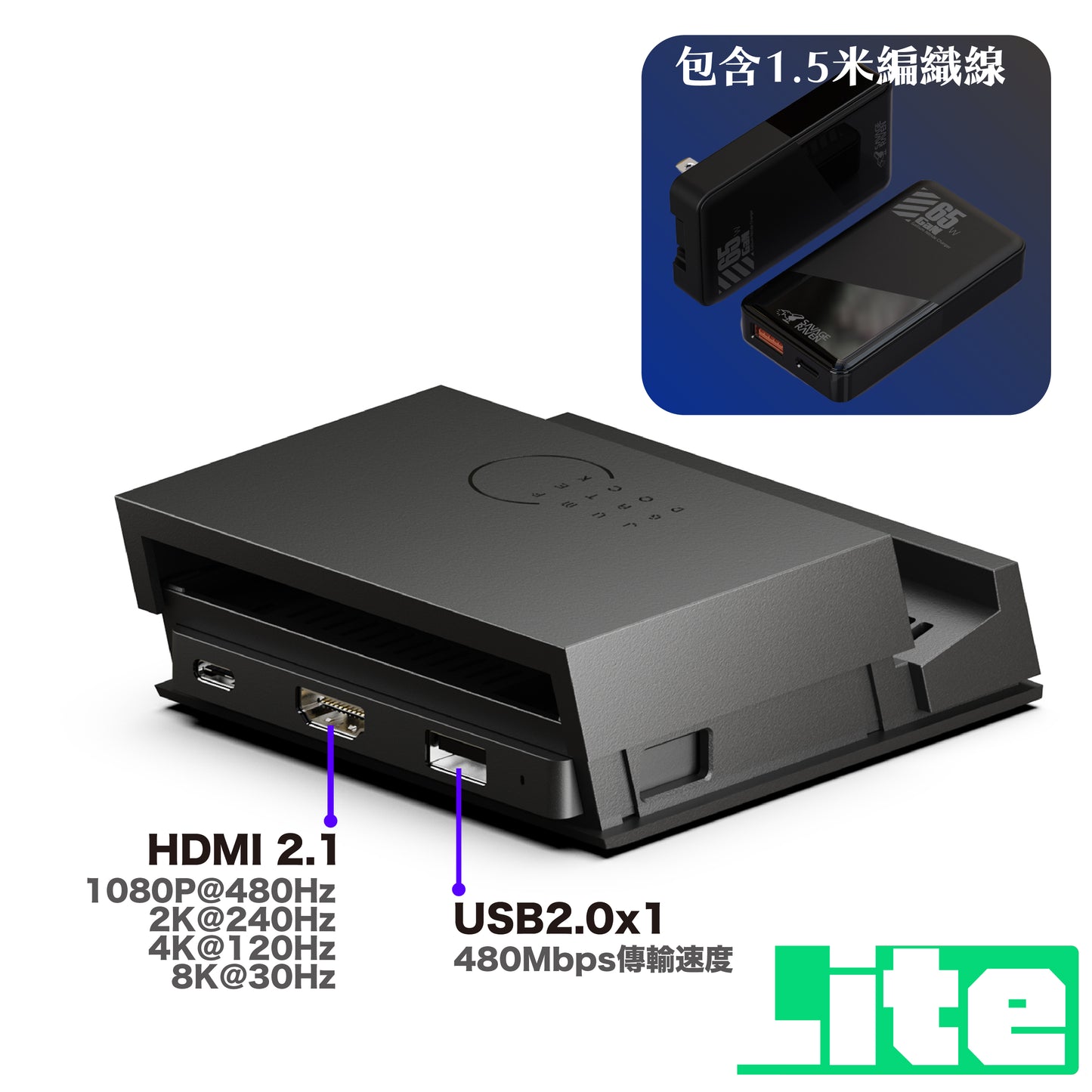
Suitable for those who simply want to replace the original dock, with 1 x USB 2.0 slot for external accessories, for light use.
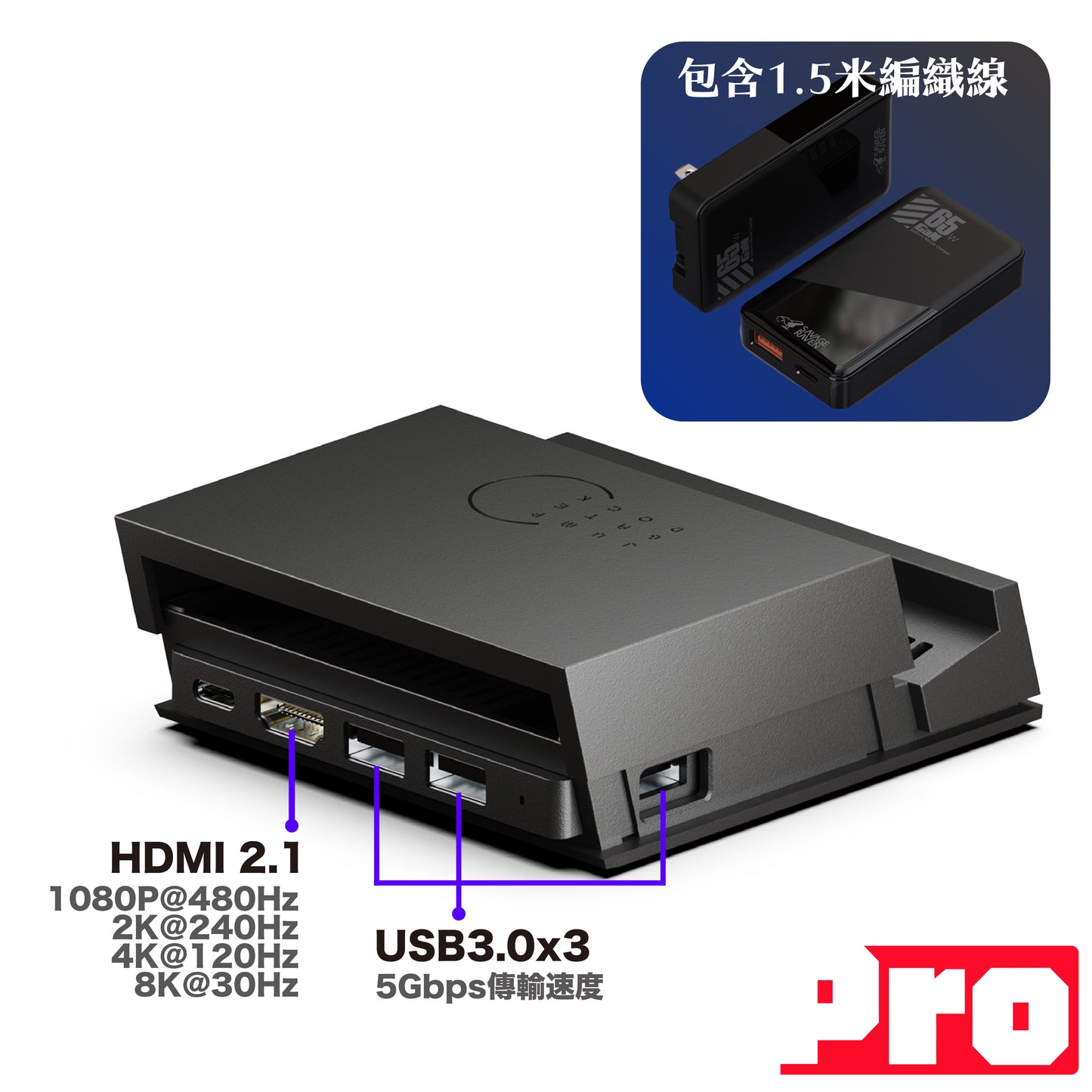
Suitable for hardcore gamers, with 3 x USB 3.0 slots for faster transfer speeds, supporting more external accessories or laptop expansion.
Compatible Cases from this Brand
- NS2 — FissionGrip Detachable Soft Grip Case
- NS2 — NEOGrip2 Grip Case
- NS2 — GripCase2 Soft Grip Case
- NS1 — NEOGrip Grip Case
- NS1 — GripCase Clear Grip Case


Technical Specifications
🎮 Micro Core Drive
- Dimensions: 88 x 37 x 10mm|Material: ABS+PC
- 1x HDMI 2.1 (up to 8K@30Hz, 4K@120Hz)
- 1x Type-C 3.1 (up to 100W full-speed power delivery)
- 3x USB 3.0 (Pro version) — Max 10W, 5Gbps transfer speed
- 1x USB 2.0 (Lite version) — Max 10W, 480Mbps transfer speed
- DC/DC Efficiency: Up to 96%|Operating Temperature: Below 46°C
🎮 Portable Jumpgate Dock
- Dimensions: 107 x 100 x 25mm|Material: ABS+PC
- 1x Type-C 3.1 Male (full function)
- 1x Type-C 3.1 Female (up to 100W)
⚡ 65W GaN Charger (Add-on Option)
- Dimensions: 83.7 x 46 x 16mm|Weight: 68g|Material: Fire-resistant PC
- Input: 100V-240V ~ 50/60Hz 0.6A max
- Type-C: 5V=3A / 9V=3A / 12V=3A / 15V=3A / 20V=3.25A — 65W MAX
- USB-A: 5V=3A / 9V=2A / 12V=1.5A — 18W MAX
- USB-A + Type-C Simultaneously: 5V 2.4A + 45W
Contents
- 1x Portable Jumpgate Dock Casing
- 1x Micro Core Drive (installed in the dock)
- 1x Product User Manual
This product does not support HDMI-CEC.
Compatible Products
Compatible with the following products
-
■NS2 MAX Storage BagCan be placed directly into the lower compartment.
-
■NS2 FISSIONGRIPCan connect to output without removing the case.
-
■NS2 NEOGRIP2Can connect to output without removing the case.
-
■NS2 GRIPCASE2Can connect to output without removing the case.
-
■USB Wired Network Mini AdapterCan be connected for USB expansion.
-
■AUDIOSTICK Bluetooth TransmitterCan be connected for USB expansion.
-
■AUDIODRIVE Bluetooth TransmitterCan be connected for USB expansion.
常見問題 Q&A
JUMPGATE與SWITCH原廠底座相比,JUMPGATE有哪些優勢??
JUMPGATE底座比原廠底座小巧,模組化設計可拆卸的微型核心體積極小,更方便攜帶。此外,微型核心還可以用作筆記型電腦的USB Hub集線器,且支援高達4K@144Hz的影像輸出,並且支援DeX功能,可以讓手機轉換為DeX模式。
JUMPATE兩個版本有什麼不同?
LITE版:一個USB 2.0插槽
PRO版:三個USB 3.0插槽
SWITCH 2裝上保護殼後還能連接JUMPGATE底座嗎?
可以的,相容厚度不超過1.5MM的保護殼,不需拆卸保護殼即可連接輸出。
*請注意,本品牌NS2 STANDGRIP因為較厚不支援。
JUMPGATE底座最高支援輸出解析度是多少?
SWITCH 2:最高支援4K@120Hz(120Hz需要遊戲支援)
SWITCH OLED:最高支援1080P
筆記型電腦:最高支援8K@30Hz
DeX智慧型手機:最高支援2K@120Hz
JUMPGATE支援喚醒和CEC功能嗎?
支援控制器喚醒功能,但不支援電視CEC功能。
為什麼在電視/顯示螢幕上沒有影像?
首先,請確認你所使用的電源是符合輸出要求的(NS2原廠充電器或65W以上電源)。
如果輸出要求正確,可以嘗試以下方式排查:
- 將微型核心(CORE DRIVE)拆卸出來,直接連接Switch 2主機檢查輸功能是否正常。
- 將Switch 2主機放在JUMPGATE底座外殼上(微型核心拔出),將USB-C線材直接連接JUMPGATE底座外殼,檢查是否能充電。
- 檢查電視或顯示螢幕設定,某些品牌可能有某些設定模式影響導致無法輸出,例如:增強模式(開/關)
如果已經嘗試多種交叉測試方法後仍無法解決,請透過右下角“協助“視窗與我們客服聯絡處理。
JUMPGATE底座有乙太網路連接孔嗎?
為了纖薄和便攜性,JUMPGATE底座沒有配備乙太網路孔,但你可以透過USB-A外接乙太網路轉接頭來使用有線網路。
可以使用JUMPGATE將影像畫面輸出到筆記型電腦嗎?
不可以的,底座沒有擷取功能,因此無法輸出至筆記型電腦。
JUMPGATE底座外殼上的USB-C接頭會搖晃,這會對Switch有影響嗎?
不會的,這不會對你的Switch造成影響。
我們設計的USB-C接頭位置具有5 °可調節角度功能,這有助於防止在插拔過程造成損壞,同時高低調整也可以相容保護殼使用。
